Helium OS
Browser Setup
My setup and configuration for Helium Browser. Helium is a fast, lightweight chromium-based browser designed for efficiency and modern web technologies. Below, I list my custom settings, installed extensions, and a direct comparison of what I like and miss compared to Zen Browser.
Appearance & Settings
Here are my configured appearance settings. You can copy the URLs to quickly navigate to these settings inside Helium Browser.
- Vertical Tabs
Keep the browser layout clean and organized with vertical tab management.
helium://settings/?search=browser+layout - Frameless Mode
Enable a completely borderless browsing experience to focus entirely on the page.
helium://settings/?search=frameless+mode - Shortcuts & Gestures
Custom mouse shortcut mapped to ⌘S for quick saving and navigation control.
- Groups and Pins
Organize tabs into active groups and pinned icons to preserve system resources and workspace clarity.
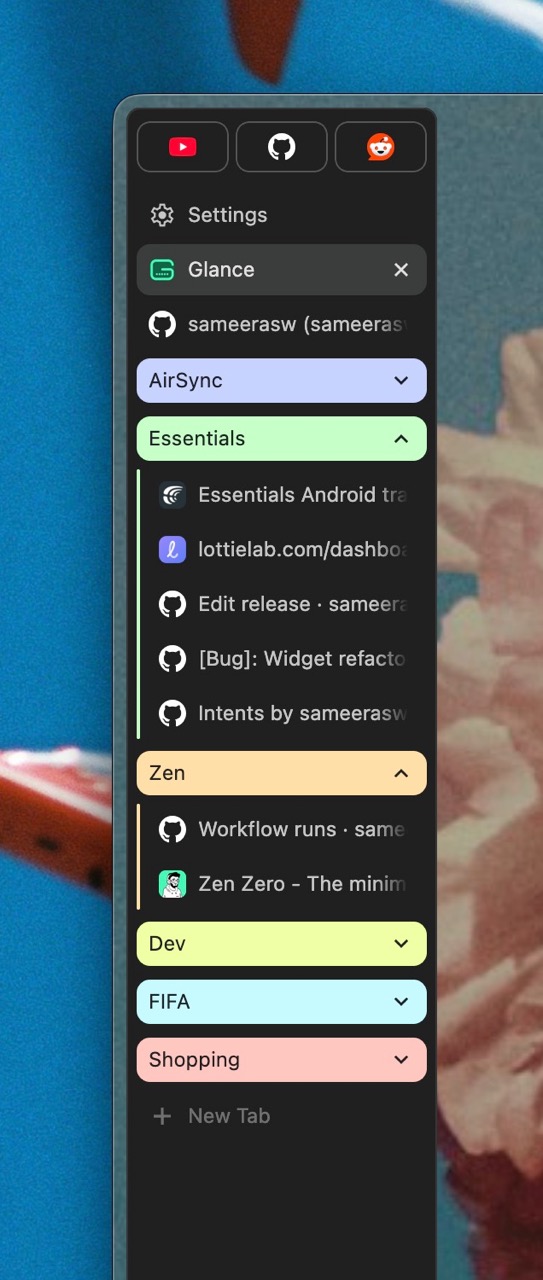
- Sync with Mobile (AirSync)
Easily sync notifications, history, and clipboard sharing across your macOS and Android devices using AirSync.
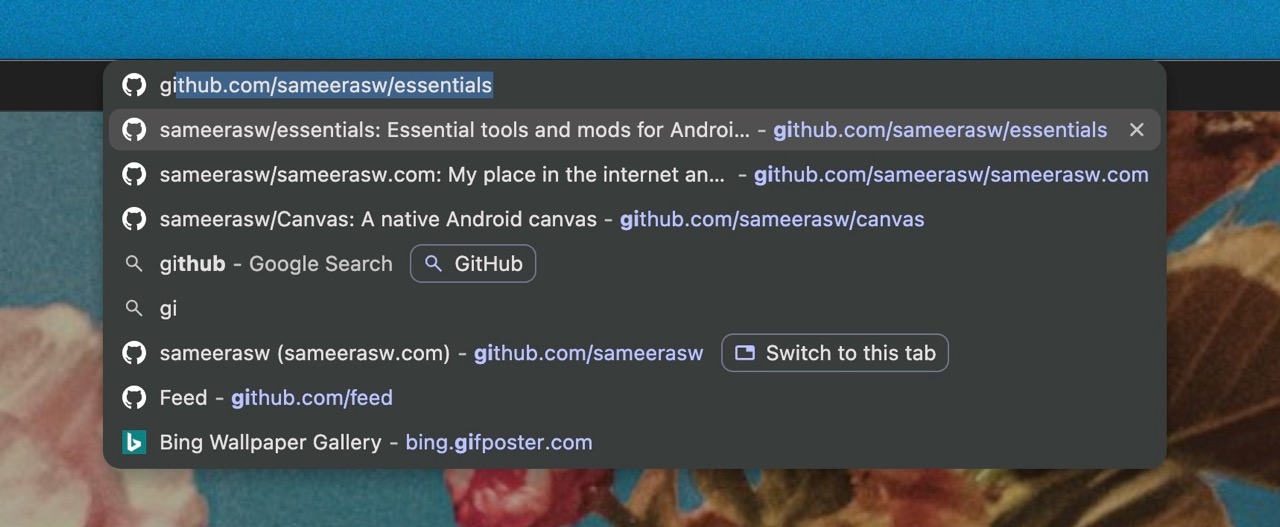
- Search Suggestions Tuning
Fine-tune address bar search suggestions to prevent distraction and preserve privacy.
Extensions
My essential suite of extensions that power productivity, content filtering, and customization.
- Zen Internet — Custom companion styling extension.
- Glance New Tab — Beautiful, productive new tab layout page.
- Darkreader (Auto Mode) — Smart dark mode generator for all pages.
- Proton Pass — Secure open-source password manager.
- YouTube Enhancements
- Sponsorblock — Skip video sponsors and intros.
- Timestamped YouTube Comments — Navigate comments with timestamp shortcuts.
- YouTube Timestamps — Custom interactive progress markings.
- YouTube Like-Dislike Shortcut — Hotkeys for quick video ratings.
- Windowed - Media Player — Enables flexible picture-in-picture windowing for video players.
Zen vs Helium
Here's a breakdown of my thoughts switching between Zen Browser and Helium Browser.
thumb_up Things I like over Zen
- ⚡ Performance — Extremely snappy rendering and engine response.
- 🚫 Not Firefox — Works perfectly with sites optimized heavily for Chromium.
- 🔋 Efficiency — Lower resource overhead and better battery utilization.
- 🎥 YouTube Usability — Smooth playback, no stuttering, full extension support.
- 🪶 Lightweight — Faster startup times and minimalist codebase footprint.
- 📲 PWA Support — Installs progressive web apps natively.
- 🔤 Better Fonts & Text — Native, sharp text rendering.
- 🌐 Modern CSS & Web Standards — Bleeding edge feature support.
sentiment_dissatisfied Things I miss from Zen
- 🎨 Customization — Deeply configurable layouts and visual styles.
- 🧩 Mods & CSS Tweaks — Built-in theme modifications library.
- 🫥 Transparency — Smooth glassmorphism backing layout.
- 🖱️ Hover Controls — Ability to disable/configure hover actions.
- 🔗 URL Bar — More flexible and customizable address bar settings.
- 🗂️ Workspaces & Profiles — Native workspace separation.
- 🔄 Recent Tab Switcher — Smooth keyboard tab switching layouts.
- ⌨️ Shortcuts — Fully editable native keyboard mapping combinations.